
How does SprayConeAI work?
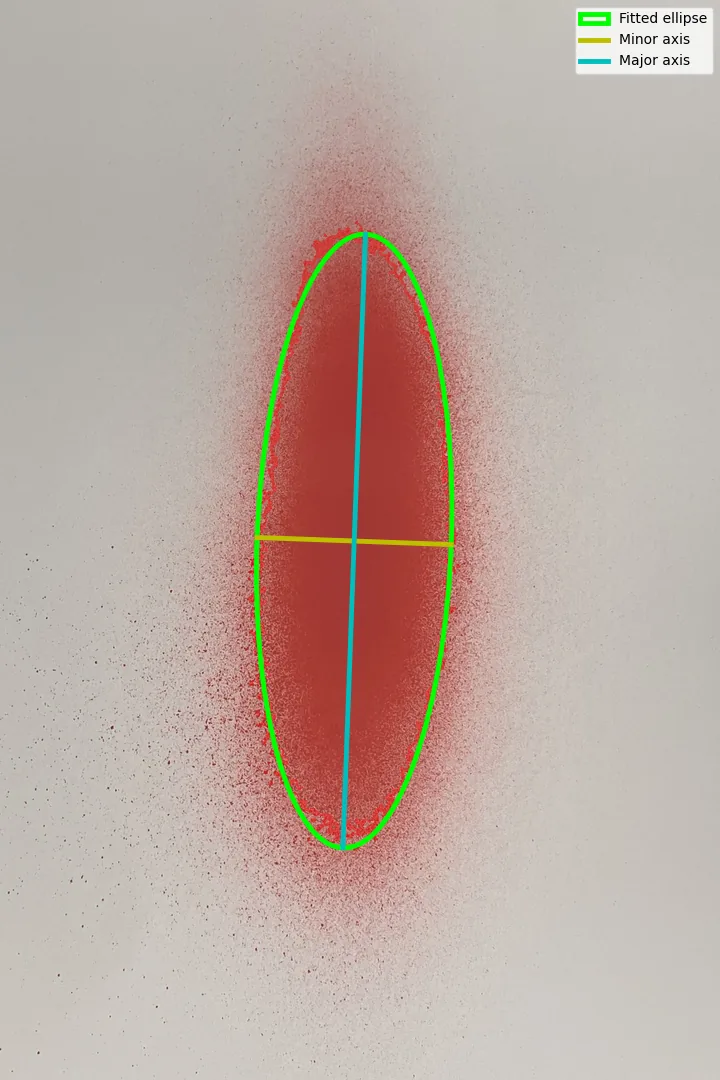
The user uploads an image of a spray pattern to the web application. SprayConeAI then processes the image and separates the relevant spray region from the background.
The software can use image-processing and AI-assisted methods to identify the spray pattern. Afterwards, it provides visual and numerical information about the detected region.
The exact results depend on the image quality, background, lighting, camera position, and spray pattern.
Does SprayConeAI use artificial intelligence?
SprayConeAI can combine classical image processing with AI-assisted analysis.
Classical methods may identify edges, areas, shapes, and intensity distributions. AI methods can support the recognition of more complex patterns or improve the analysis under changing image conditions.
However, the selected method depends on the software version and application.
From a 2D Spray Image to a 3D Representation
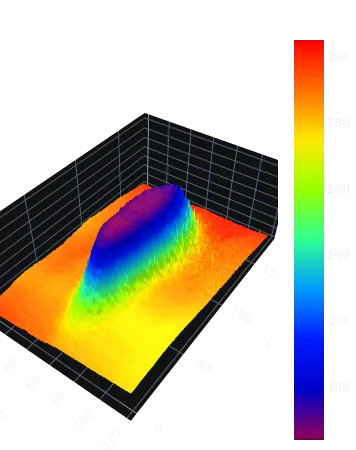
SprayConeAI® converts two-dimensional spray images into three-dimensional representations. With a calibration marker, the recorded data can be converted into absolute physical quantities.
Images are captured with mobile devices such as smartphones or tablets: a spray image can be taken directly in the web application or an existing image can be uploaded, and comments on the test setup can be added. Processing is automatic, and the results are then available for download.
What results does SprayConeAI provide?
Depending on the software version and selected analysis mode, SprayConeAI can provide information such as:
- detected spray area,
- spray pattern outline,
- pattern width and height,
- geometric center,
- spray pattern symmetry,
- relative intensity or coverage distribution,
- comparison between several spray images,
- visual overlays,
- exportable analysis results.
These results help users document changes in the spray pattern and compare different operating conditions.
What type of images can SprayConeAI analyze?
SprayConeAI is designed for images in which the spray pattern is clearly visible against the background.
Suitable images may include:
- spray patterns on paper,
- paint patterns on test cards,
- water spray images,
- nozzle test images,
- spray gun adjustment patterns,
- laboratory spray experiments,
- industrial spray documentation.
For reliable results, the image should have good contrast and even lighting.
Does SprayConeAI require special equipment?
No special measurement instrument is required for the basic analysis.
Users normally need:
- a spray pattern image,
- a computer, tablet, or smartphone,
- an internet browser,
- an optional calibration reference.
The image can come from a camera or smartphone. However, a stable camera position and controlled lighting improve the repeatability of the analysis.
Do I need to install software?
SprayConeAI is designed as a web-based application. Therefore, users can access it through a compatible internet browser without installing a complete desktop program.
This approach makes it easy to test the software on different devices and operating systems.
Are uploaded images stored on a server?
The software is designed to process spray images without using them as a permanent image archive.
However, users should always check the current privacy information and terms of use before uploading confidential industrial images.
For sensitive applications, users should avoid including company names, machine details, product information, or other confidential content in the image.
As described in JOT 6/2026, no image data are stored on external servers. In the current web application, the image is processed temporarily on a remote Linux server. This server can also be installed on the user's device as a virtual machine, free of licence and without registration, so that all processing takes place locally – for example in industrial environments with high requirements for data protection and data security.
How can I start an analysis?
Open the SprayConeAI web application, upload a suitable spray pattern image, and select the available analysis settings.
For the best results:
- use a uniform background,
- avoid shadows and reflections,
- keep the camera perpendicular to the test surface,
- use consistent lighting,
- include a calibration reference when physical dimensions are required,
- record comparison images under the same conditions.